

Passing Data Between Nodes
Each node returns output that you can map into later nodes.How data mapping works
- Run or test your workflow to generate sample output
- Select an input field in the next node
- Choose data from previous node outputs
- Save and re-test to confirm the value path
Example
Use text returned from an AI Action node in a Slack message node.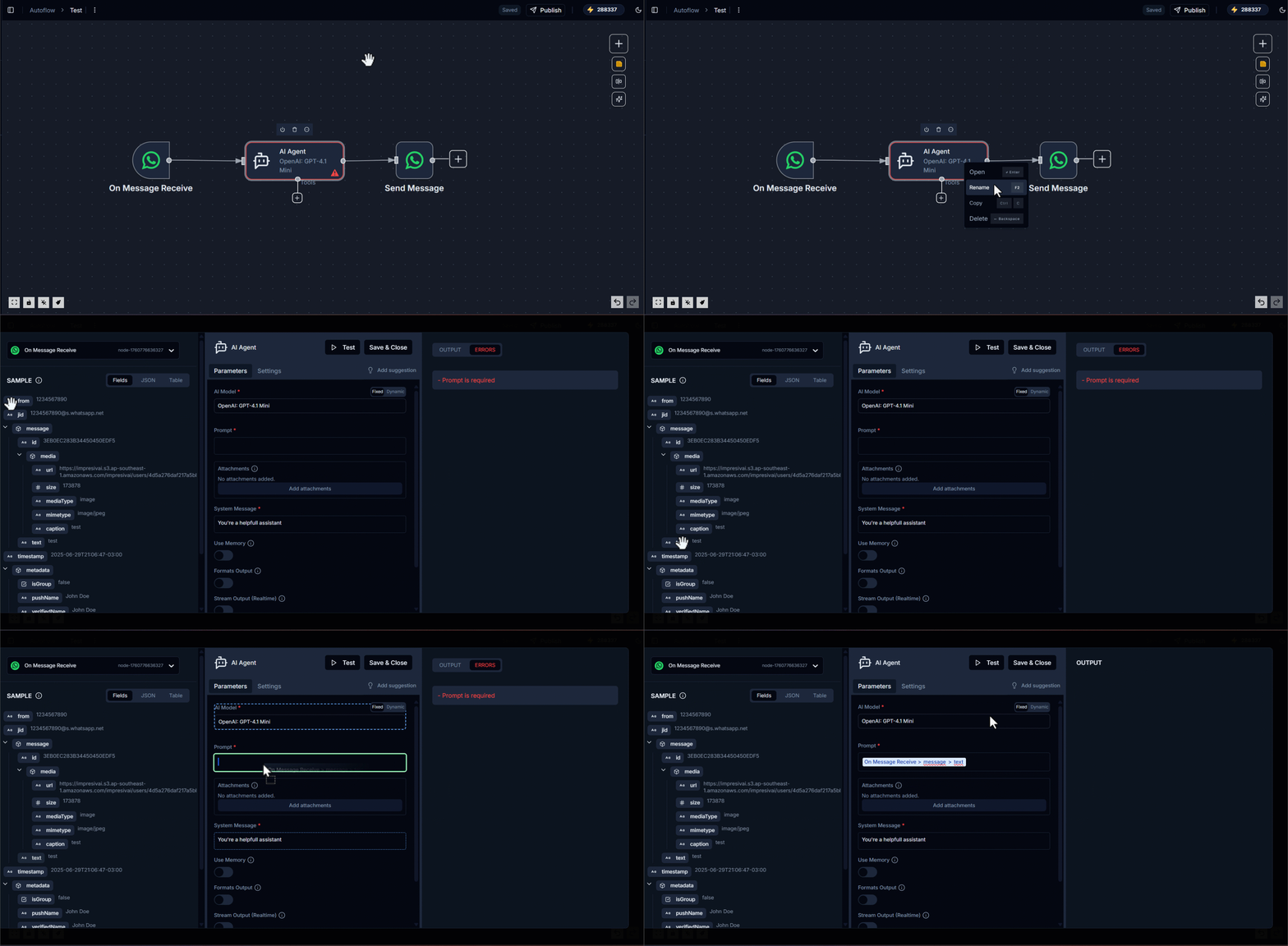
Best practices
- Use clear node names so outputs are easy to find
- Validate mappings in test logs before publishing
- Add fallback values for optional fields